CDN and SEO: How a CDN Affects Crawling, Caching and Page Speed
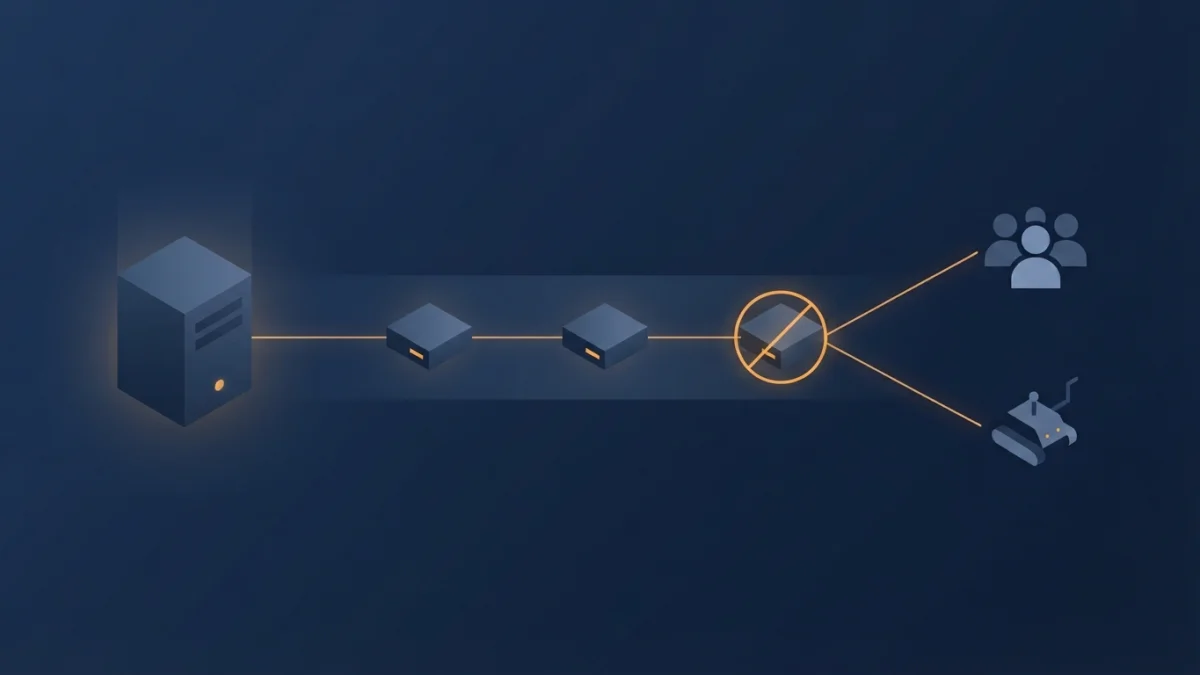
Table of contents
A CDN can halve your TTFB and silently keep Googlebot out of your site at the same time. This CDN and SEO guide separates what really speeds you up from what gets you dropped from the index.
A CDN is not a ranking factor: it is infrastructure. But it touches two things that do matter, how Google crawls you and how fast your page loads. Here is what it does, how crawling changes, which cache headers the crawler understands, and which errors deindex you.
What a CDN is (and what it is not)
It is a network of intermediate servers between your origin and the end user. Google defines it as an intermediary between your origin server and the end user. It does three things that people usually mix into one:
- Caching: serves a stored copy without touching your origin.
- Filtering: DDoS protection, WAF and rate limiting.
- Availability: absorbs spikes and can serve static assets if the origin goes down.
All three affect the crawler: caching decides which HTML Googlebot sees, the WAF decides whether it sees it at all, and availability decides how much it can crawl. The common pattern is always the same: Cache-Control at the origin and rules applied at the edge.
How a CDN improves the speed Google measures
Less latency means a better TTFB and, in turn, a better LCP: the CDN serves from a nearby location and skips the trip around the world. Do not promise figures: there is no universal percentage, it depends on where your audience and your origin are. Measure field Core Web Vitals before and after.
Separate hostname or main host behind the CDN?
Offloading static assets to cdn.example.com can help Google's rendering service, but every extra hostname costs a connection and can hurt page experience. Putting the main host behind the CDN avoids that cost, and Google's crawling infrastructure supports either option.
How crawling changes when you use a CDN
Google allows higher crawl rates for CDN-backed sites, and it infers that from the IP of the service serving the URLs. In other words, a CDN can get you more aggressive crawling, which ties directly into your crawl budget. It is in Google's public guidance on CDNs and crawling.
Cold cache: the detail everyone forgets
The first time a URL is requested, the edge is empty: your origin has to serve it at least once. When you launch many new URLs at once (a catalogue, a migration, a giant sitemap) the crawl rate will stay high for days even with a CDN, and if your origin cannot handle that first pass, Google applies throttling. A CDN does not remove the cold cache; it only shortens it.
Verifying that Googlebot reaches you through the CDN
Google publishes crawler IP ranges in JSON and regenerates them daily, and it also supports reverse DNS verification: the hostname must end in googlebot.com, google.com or googleusercontent.com, and forward DNS must return the same IP. Note that Google crawls mostly from the United States and may switch countries if it detects blocking from there, so geo-blocking at the CDN can hurt you.
The caching Google's crawlers actually understand
Do not mix up the layers: the CDN caches for users, and Google separately supports conditional requests while crawling. One revealing figure: only around 0.017% of its crawl fetches were resolvable from cache, down from 0.026% a decade earlier.
ETag with If-None-Match and Last-Modified with If-Modified-Since
Google supports heuristic caching with ETag on the response and If-None-Match on the request, and with Last-Modified and If-Modified-Since. Its recommendations: use ETag because it is less error-prone, send both validators if you can, and only require a refresh for significant changes.
Cache-Control: max-age and the 304 response
Set Cache-Control: max-age to the number of seconds you expect the content to stay unchanged: it tells the crawler when to come back. When the validator matches, the server should return 304 Not Modified with no body, and the crawler reuses its copy without spending resources on your server. One caveat: if the edge answers 200 from its own cache, validation never reaches the origin, and the max-age Google sees is the edge's decision.
HTTP/2, HTTP/3 and compression: what actually changes
The crawler documentation supports HTTP/1.1 and HTTP/2 (HTTP/1.1 by default) and makes it clear that HTTP/2 brings no product benefit: no ranking improvement. HTTP/3 and QUIC speed up users, but they are not on the crawling protocol list. Google accepts gzip, deflate and brotli.
CDN errors that get you dropped from the index
This is Google's own doctrine and hardly anyone quotes it in the SEO world: a CDN's anti-flood protection can add the bots you actually want to its WAF, and that blocklist can grow on its own without you noticing.
Hard blocks: 429, 503, timeouts and the worst of all
- 503 and 429 are the preferred way to block temporarily: Google reads them as temporary and gives you time to react without losing URLs.
- A CDN network timeout is a terminal error. Affected URLs are removed from the index and the crawl rate collapses. It is the worst silent scenario.
- An error message served with HTTP 200 is the most damaging: if Google cannot identify it as a hard error, pages sharing the message can be dropped as duplicates.
Google's status code guidance confirms that 4xx codes other than 429 do not affect crawl rate, that you should never use 401 or 403 to limit crawling, and that 5xx and 429 do slow it down.
Soft blocks: the prove-you-are-human interstitial
A bot-check interstitial or WAF CAPTCHA is a soft block: crawlers only see the challenge, not your page. Ask the CDN to return 503 to automated clients whenever it shows that interstitial, so the content is not removed from the index automatically. Detect it with Search Console URL Inspection: if the rendered image is empty, you need to talk to your provider.
Geotargeting: CDNs and IP-based redirects
Being close to the user does not change your target country: with distributed CDNs, the server IP stops being a definitive audience signal. What does break SEO is automatic redirects by IP or language, because they stop users and search engines from seeing every version. The documented alternative is locale-based URLs plus hreflang and a language selector. And be careful with geo-blocking countries, since Googlebot crawls mostly from the United States.
How to audit your CDN in 10 minutes
- Look at the real headers of a content URL:
Age,Cache-Control,ETagandX-Cache. Is it coming from the edge or the origin? - Test the validator: request the URL with
curl -Iand withIf-None-Match. A 304 with no body is the goal. - Compare what a browser and a crawler see: check user-agent rules and a badly configured
Vary. - Inspect the URL in Search Console: it is the official way to catch hard and soft blocks.
- Review the WAF: blocklists and active challenges, then allowlist Googlebot's published ranges.
- Watch the crawl rate in Search Console and the server logs after a rules change.
- Test a deployment: does the purge affect Googlebot? Is a stale canonical cached?
- Keep the same content for bots and people: serving a different version to the crawler is cloaking, not caching.
Checklist: CDN and SEO without breaking anything
- One public hostname: the main host behind the CDN.
- ETag and Last-Modified on HTML and assets, with max-age matched to real change frequency.
- Immutable assets with long caching and a version in the filename.
- stale-while-revalidate never for HTML that changes.
- Compression enabled and free of odd re-packaging.
- WAF with Googlebot's ranges allowed and a monthly blocklist review.
- Never 403 or 401 to limit crawling; use 503 or 429 to block temporarily.
- Zero verification interstitials served with 200 to crawlers.
- No automatic redirects by IP or language: hreflang plus a selector.
- Measure before and after with URL Inspection, field Core Web Vitals and impressions.
A well-configured CDN is one of the best-returning infrastructure investments for crawling: more crawl, less latency and less load on the origin. The risk is not using one, it is letting it decide on its own what to answer to Googlebot.