Meta robots tag: what is noindex and how to control what Google indexes
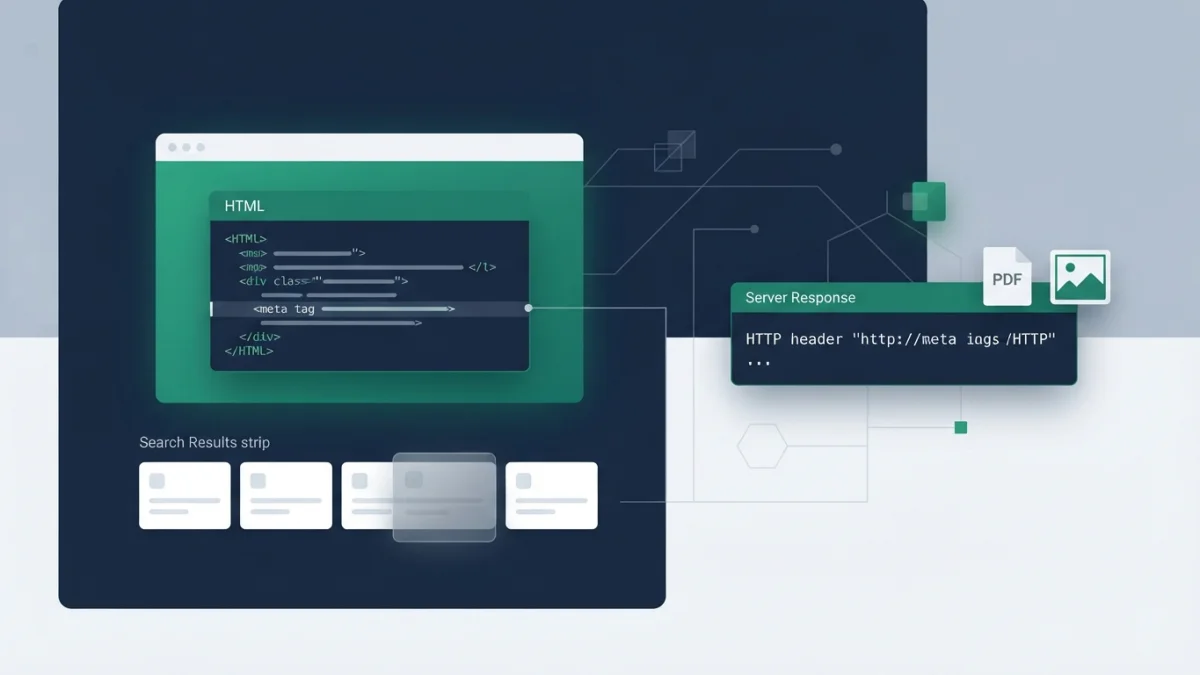
Table of contents
Think robots.txt removes pages from Google? That is the most repeated indexing mistake in SEO: robots.txt blocks crawling, not indexing. The correct tool to decide what enters the index, page by page, is the meta robots tag with the noindex directive.
Here you will learn what the meta robots tag is, which directives Google understands in 2026, how to use noindex to remove pages from results, and when to use the X-Robots-Tag HTTP header instead of HTML. We also clear up the most expensive technical SEO myth: noindex does not work if the page is blocked in robots.txt.
What the meta robots tag is and what it controls
The meta robots tag is an instruction in the HTML that tells search engines whether a specific page should appear in results and how to show it. It works at the document level, not the file or site level:
<meta name="robots" content="noindex">It is the natural complement to robots.txt for controlling indexing. If you want to review the difference with the file and its directives, check our guide on how to create a correct robots.txt.
Google does not require the tag to live in the head: it respects the instruction even in the page body, and the name and content attributes are case-insensitive. It works for googlebot and googlebot-news as user-agent tokens; other values are ignored. In WordPress you do not need to touch HTML: Yoast SEO lets you enable noindex from Advanced.
Meta robots vs robots.txt in one sentence
robots.txt decides whether Google can enter the page to crawl it; meta robots decides whether the page can appear in results. One detail still surprises people: noindex inside robots.txt is not supported by Google. The file only blocks crawling; it never removes a URL from the index by itself.
Meta robots directives Google understands (and ones it no longer uses)
The tag accepts several rules separated by commas. Google documents these as valid:
noindex: do not show the page in results.nofollow: do not follow the links on the page.none: equivalent tonoindex, nofollow.nosnippet: no text snippet or video preview (a static image may still appear).max-snippet:[number]: maximum snippet length in characters;0equals nosnippet and-1allows any length.max-image-preview:[none|standard|large]: maximum size of the image preview.max-video-preview:[seconds]: maximum duration of the video preview.noimageindex: do not index the images on the page.indexifembedded: only with noindex; allows indexing when the content appears in an iframe.notranslate: do not offer automatic translation.unavailable_after:[date]: stop showing the page after a date (RFC 822 format).
Rules combine with commas or in several meta tags with the same effect:
<meta name="robots" content="noindex, nofollow">If two rules conflict, the most restrictive wins: with max-snippet:50 plus nosnippet, nosnippet wins.
Historical rules that are now obsolete
noarchive became obsolete because Google removed the "cached" link feature; nocache and nositelinkssearchbox are also unused. The official documentation groups them as historical rules. Do not waste time on them.
noindex: how to remove a page from Google step by step
To remove a page from results, implement noindex on one of two layers: the meta tag in the HTML or the X-Robots-Tag HTTP header. The effect is the same; choose what fits your stack. When Googlebot crawls the URL and sees noindex, it drops the page from results entirely, even if other sites link to it.
The critical condition: the page must not be blocked in robots.txt. If the file blocks it, Googlebot never sees the noindex and the URL can keep appearing for months. It is the number one cause of "I added noindex and it is still in Google".
Use noindex when you do not have root access and need per-page control: thank-you pages, logins, internal search results, thin or low-quality pages, ad landing pages, and staging.
What NOT to do with noindex
Do not use it for duplicate content: the answer there is the canonical tag, which consolidates signals instead of hiding pages. If duplicates are a recurring problem, read our article on the impact of duplicate content on SEO. Avoid keeping it long term on pages that should pass authority: Google stops crawling them and their links stop passing equity; "noindex, follow" does not save it (John Mueller).
X-Robots-Tag: when HTML is not enough (PDFs, images, video)
The X-Robots-Tag is an HTTP header that applies the same rules as the meta robots tag to any resource. It is essential for what cannot carry a meta tag inside: PDFs, images, videos, and non-HTML responses.
You can send several headers or a comma-separated list, optionally per user agent:
X-Robots-Tag: googlebot: nofollow
X-Robots-Tag: otherbot: noindex, nofollow
Implementation depends on the server: in Apache, a FilesMatch block in .htaccess noindexes every PDF without touching each file; in nginx you do it in the location block; many CMS plugins expose a header field. You control entire file types with one rule.
nofollow in meta robots vs rel="nofollow": the classic confusion
These are two different things that people constantly mix up. The nofollow directive in meta robots means "do not follow any link on this page"; the rel="nofollow" attribute on a specific link means "do not follow this link".
If your problem is with specific links, the solution is rel nofollow, covered in our article on how to use the nofollow tag. The page-level nofollow is reserved for pages you do not want indexed or crawled at all, usually with noindex.
Control your snippet (and your AI footprint): nosnippet, max-snippet and data-nosnippet
nosnippet prevents the text snippet and the video preview (a static thumbnail may appear if it improves the experience). max-snippet:0 equals nosnippet, and max-snippet:-1 leaves the length free.
Current update (official documentation refreshed in 2026): nosnippet and max-snippet apply across all surfaces, including web search, Google Images, Discover, AI Overviews and AI Mode. If you apply these rules, Google does not use the content as direct input for generating those AI answers. Controlling the snippet is also controlling how your content enters AI-powered search. Be precise about limits: this is not an "opt-out of training" and it does not affect the structured data you publish, except the Article description field.
data-nosnippet to exclude only parts of a page
To hide only fragments, the data-nosnippet attribute works on a span, div or section:
<div data-nosnippet>Promotional price valid only today</div>Great for prices, dates and promotions. If you generate it with JavaScript, add the attribute when creating the element: Google may read the content before or after rendering.
How to verify noindex works (and why the page may still be in Google)
Google must crawl the page to see the tag or the header. If the URL is still in results, the crawler most likely has not revisited it yet; on low-priority URLs it can take months.
The recommended flow lives in Search Console (full context in our guide on how to use Google Search Console):
- Open URL Inspection with the exact URL.
- Review the HTML Googlebot received: confirm it sees the meta robots noindex.
- Use "Request indexing" to force a recrawl.
- Monitor Page Indexing: pages with noindex show as "indexing not allowed by noindex tag".
The typical cause of failure is the one mentioned above: robots.txt blocking the URL. Unblock it and wait for the next crawl.
Emergencies and temporary removal
The Search Console Removals tool removes a URL quickly, but the block lasts about six months and is temporary; without noindex the page can reappear. The permanent path Google recommends is noindex (or 404/410) plus a recrawl.
Checklist: when and how to apply indexing directives
Before touching anything, decide the goal of the URL:
- Should it keep existing and being crawled but not appear in results? Noindex or X-Robots-Tag.
- Should it stop existing? 404 or 410.
- Is it duplicate content? Canonical, not noindex: it consolidates, it does not hide.
When you apply the directive:
- Verify the URL is not blocked in robots.txt; if it is, the noindex is invisible.
- Use the right layer: HTML for pages, HTTP header for PDFs, images and video.
- Combine rules with commas.
- Do not use noarchive or nocache (obsolete).
- Prefer data-nosnippet for specific sections.
- Confirm with URL Inspection and monitor Page Indexing.
Real example: a "thank you for registering" page that appears in Google and receives visits that do not convert. With noindex and the URL unblocked, it stops competing at the next recrawl and your crawl budget stops going to URLs without value; our article on crawl budget explains that saving in detail.
Summary: meta robots is your page-by-page indexing tool, and knowing where each directive lives - HTML, HTTP header, or robots.txt - avoids the two classic mistakes: thinking robots.txt applies noindex, and blocking the very URL you wanted to remove. Google's official specification of the meta robots tag and X-Robots-Tag is the canonical reference for the fine detail of every rule.